Queues: one at a time
What if ten people follow at once? Without a plan, ten alerts would play on top of each other. Queues fix this: they make actions wait their turn, so alerts play one after another.
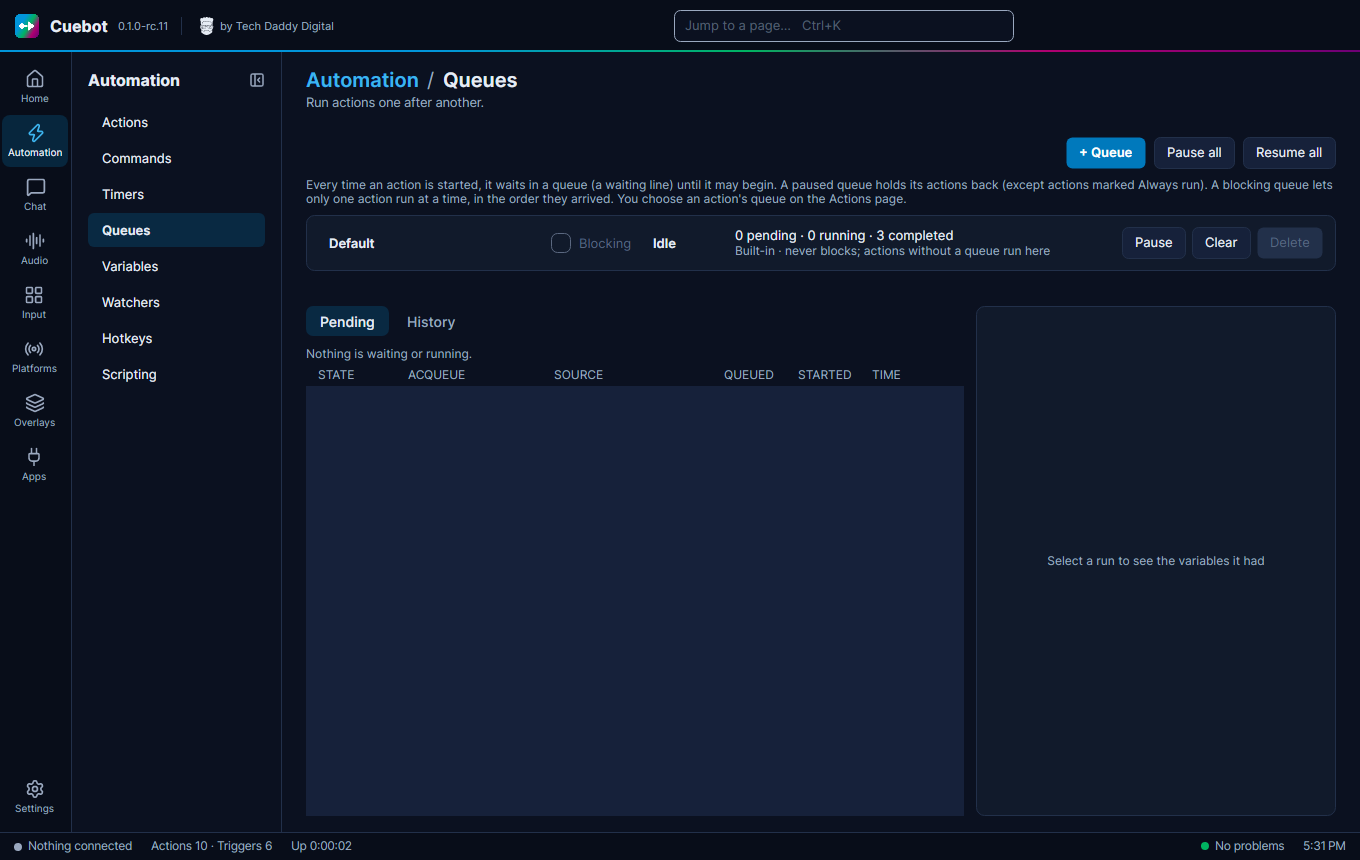
A queue is a waiting line. Every action waits in one before it starts. A blocking queue lets only one action run at a time, in order. Perfect for alerts.
Make a queue for your alerts
- Go to Automation > Queues and click + Queue. Name it, for example
Alerts, and tick Blocking. - In each alert action, pick that queue under More > Queue (on Automation > Actions, see How actions work).
Watching and controlling the line
The Queues page also shows what is waiting (Pending) and what ran (History), and has Pause, Resume and Clear for each queue. Pause all and Resume all do every queue at once (handy before a break), and Requeue runs a finished action again, with the same values it had the first time.
A paused queue holds its actions back, except actions with Always run ticked under More. Delete removes a queue you made; its actions move to the Default queue.
The Default queue
Actions in the Default queue normally wait for each other too. Tick Allow concurrent runs (Default queue only) under More to let one action run several times at once.