Rumble
This page shows how to connect Cuebot to your Rumble channel, so it can see followers, subscribers and rants and read your chat.
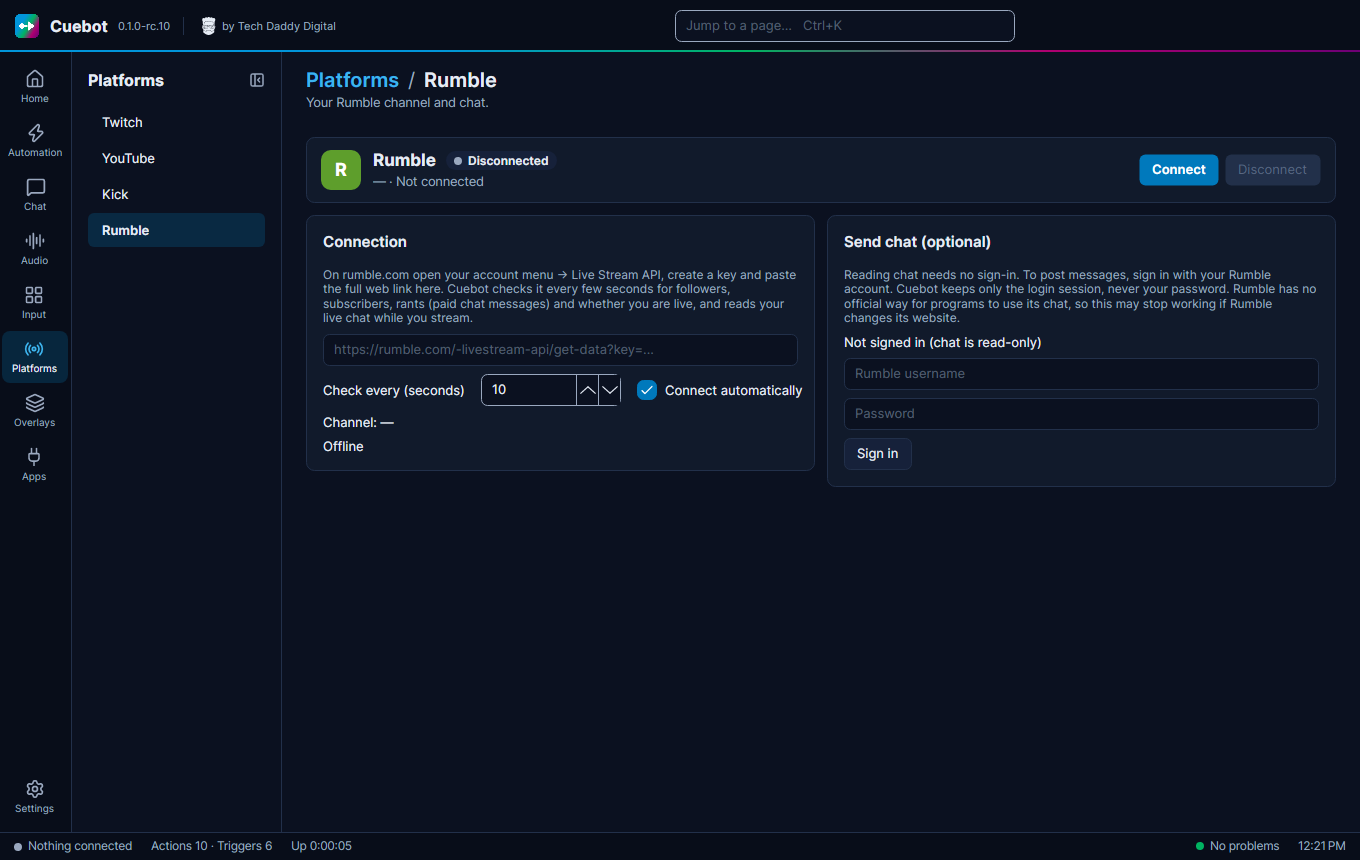
Rumble works a little differently. Reading works with a "key link" from Rumble. Writing in chat needs a sign-in.
Connecting
- On rumble.com, open your account menu, then Live Stream API. Make a key and copy the whole web link.
- In Cuebot go to Platforms > Rumble and paste the link into the box. It starts with
https://rumble.com/-livestream-api/get-data?key=. - Click Connect. Cuebot now sees followers, subscribers, rants (paid chat messages), whether you are live, and your chat.
- To write in chat (optional): under Send chat (optional), type your Rumble username and password and click Sign in. Cuebot keeps only the login session, never your password.
Warning
Rumble has no official way for apps to write in chat. Sending messages may stop working if Rumble changes its website. Reading followers, live state and chat was tried with a real Rumble channel; writing in chat is not confirmed yet. See What's experimental.
Tick Connect automatically so Cuebot connects every time it starts. Check every (seconds) sets how often Cuebot looks for new followers, subscribers and rants.
Sign out and the other buttons work the same as on every platform: see Your platforms.