Webhooks: Ko-fi, Patreon, Throne and more
Ko-fi, Patreon, Throne, Fourthwall and Shopify can tell Cuebot about tips, memberships and orders, and each one becomes a trigger. Example: someone tips $5 on Ko-fi, and Cuebot thanks them in chat and shows an alert. This page sets that up. For Streamlabs, StreamElements and the other tip sites, see Tips and donations.
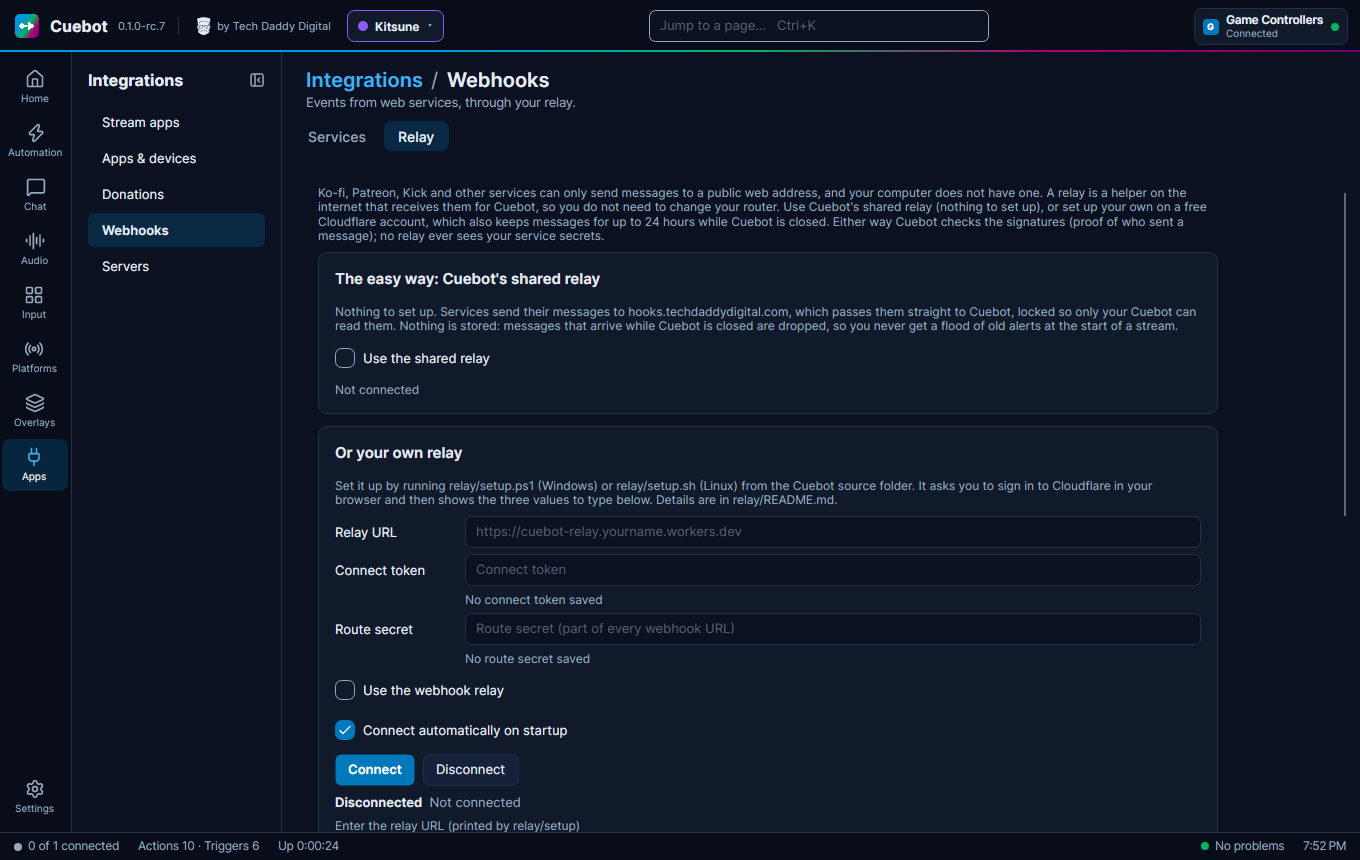
Some services do not "call" Cuebot directly. Instead they send a webhook: a small message to a web address. Your computer has no public web address, so these services need a helper in between, called a relay. You can use Cuebot's shared relay, which needs no setup, or set up your own.
Apps > Webhooks has two tabs:
- Services: Ko-fi, Patreon, Throne, Fourthwall, Shopify, and Custom webhooks for anything else (IFTTT, Zapier, your own scripts).
- Relay: chooses the shared relay or connects Cuebot to your own.
The easy way: the shared relay
On the Relay tab, tick Use the shared relay. That is all. Under Webhook URLs, click Copy next to each service and paste the address into that service's webhook settings.
The shared relay passes each message straight to your Cuebot, locked so that only your Cuebot can read it. It stores nothing. A message that arrives while Cuebot is closed is dropped, so you never get a flood of old alerts at the start of a stream. If you want missed messages delivered later, set up your own relay instead.
Or: your own relay
Your own relay is a tiny program that runs on your own free Cloudflare account. The services send their messages to the relay. Cuebot picks them up from there. While Cuebot is closed, the relay keeps them (up to 500 messages, for at most 24 hours) and hands them over when Cuebot comes back.
This part is a bit technical
You need the Cuebot source folder from GitHub and a free Cloudflare account. If that sounds like too much, you can skip webhooks; everything else in Cuebot works without them.
- Run
relay/setup.ps1(Windows) orrelay/setup.sh(Linux) from the Cuebot source folder. It asks you to sign in to Cloudflare in your browser. - At the end it shows three values. Type them into the Relay tab: Relay URL, Connect token and Route secret.
- Untick Use the shared relay if it is on. Tick Use the webhook relay and click Connect.
- Under Webhook URLs, click Copy next to each service and paste the address into that service's webhook settings.
The full steps are in the relay instructions.
Treat webhook addresses like passwords
Anyone who knows one could send fake messages. Cuebot checks every message with the service's secret and throws fakes away, but keep the addresses private anyway.
Turning on a service
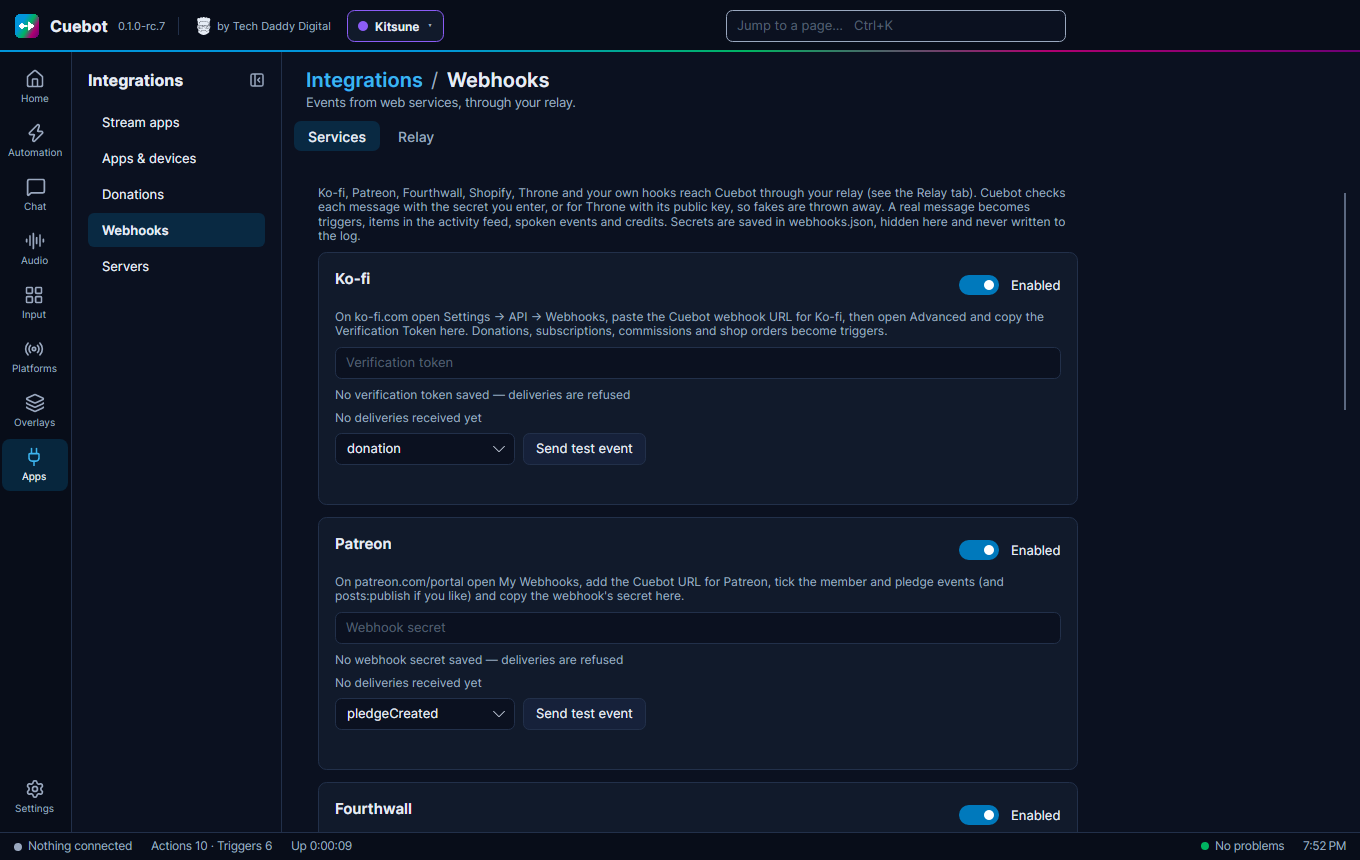
On the Services tab, tick Enabled for the service, enter the secret or token it gives you (or use Generate token where there is one), and click Send test event.
Partly checked
The relay was tried for real: a message sent to it reached Cuebot. Each service's own example messages were checked too. But no real message from Ko-fi, Patreon, Throne, Fourthwall or Shopify has come in yet. See What's experimental.
Custom webhooks: type a name, like doorbell, and click Add hook. Another program then calls the address
ending in /custom/doorbell, and the Custom Webhook trigger runs.