Giveaways
A giveaway lets viewers enter in chat for a chance to win a prize. Entering can be free, or cost Cuebot points. It works in chat on every platform at once.
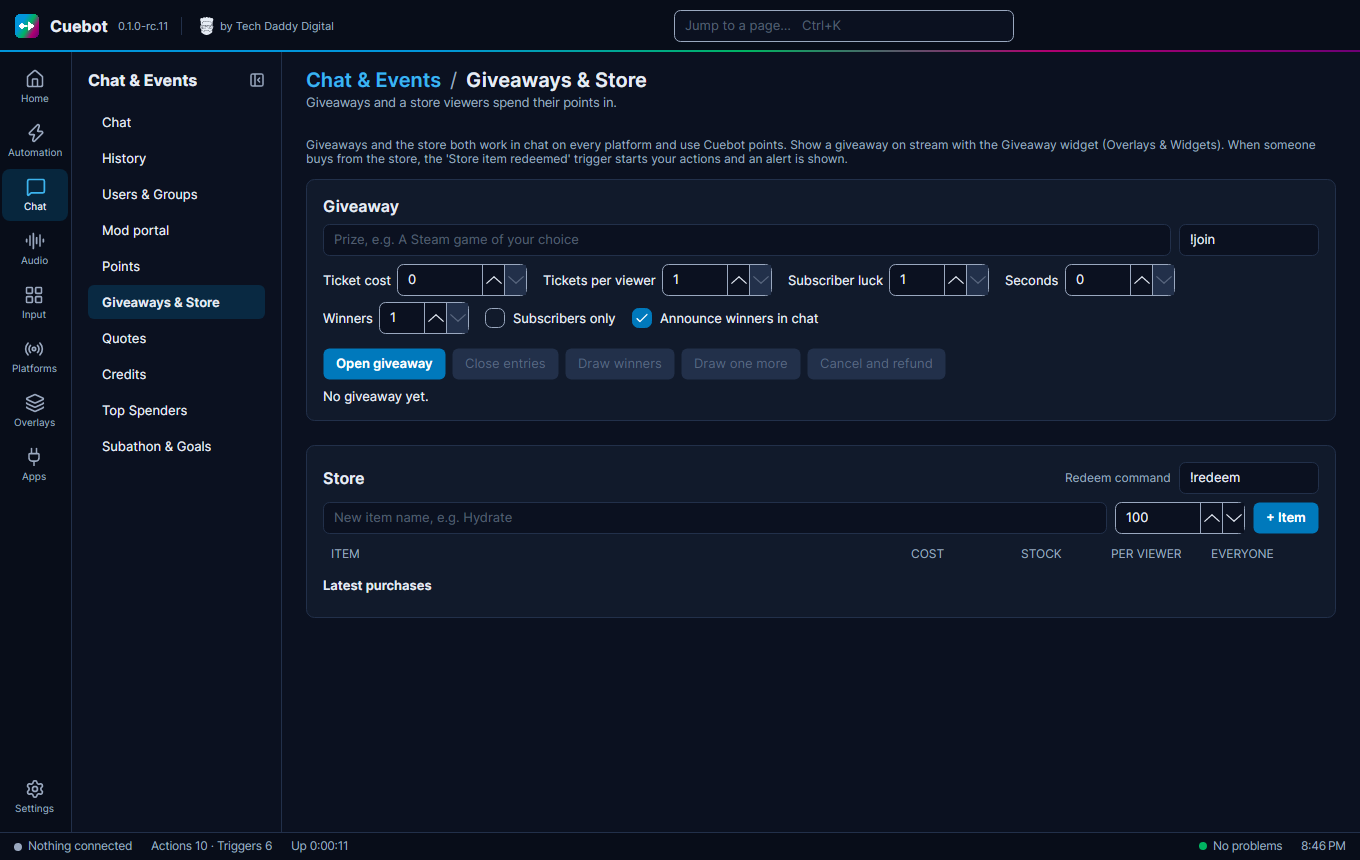
Go to Chat > Giveaways & Store. The giveaway is the top part of the page; the store is below it.
Run a giveaway
- Type the Prize, like
A Steam game. - The join command (the box that shows
!join) is what viewers type to enter.!join 3buys 3 tickets. - Set Ticket cost (0 for free), Tickets per viewer, how many Winners, and Seconds (how long entries stay open; 0 keeps them open until you click Close entries).
- Optional: Subscribers only, Subscriber luck (better odds for subs), Announce winners in chat.
- Click Open giveaway.
- When it is time, click Close entries, then Draw winners. Winner not here? Draw one more.
Cancel and refund stops it and gives everyone their points back. Click it twice: the first click only asks you to click again within 5 seconds.
Show it on stream
Show it on stream with the Giveaway widget on your overlay.