The store
The store lets viewers spend their Cuebot points on things you offer, like "Pick my next game" or "I do 10 push-ups". It works in chat on every platform at once.
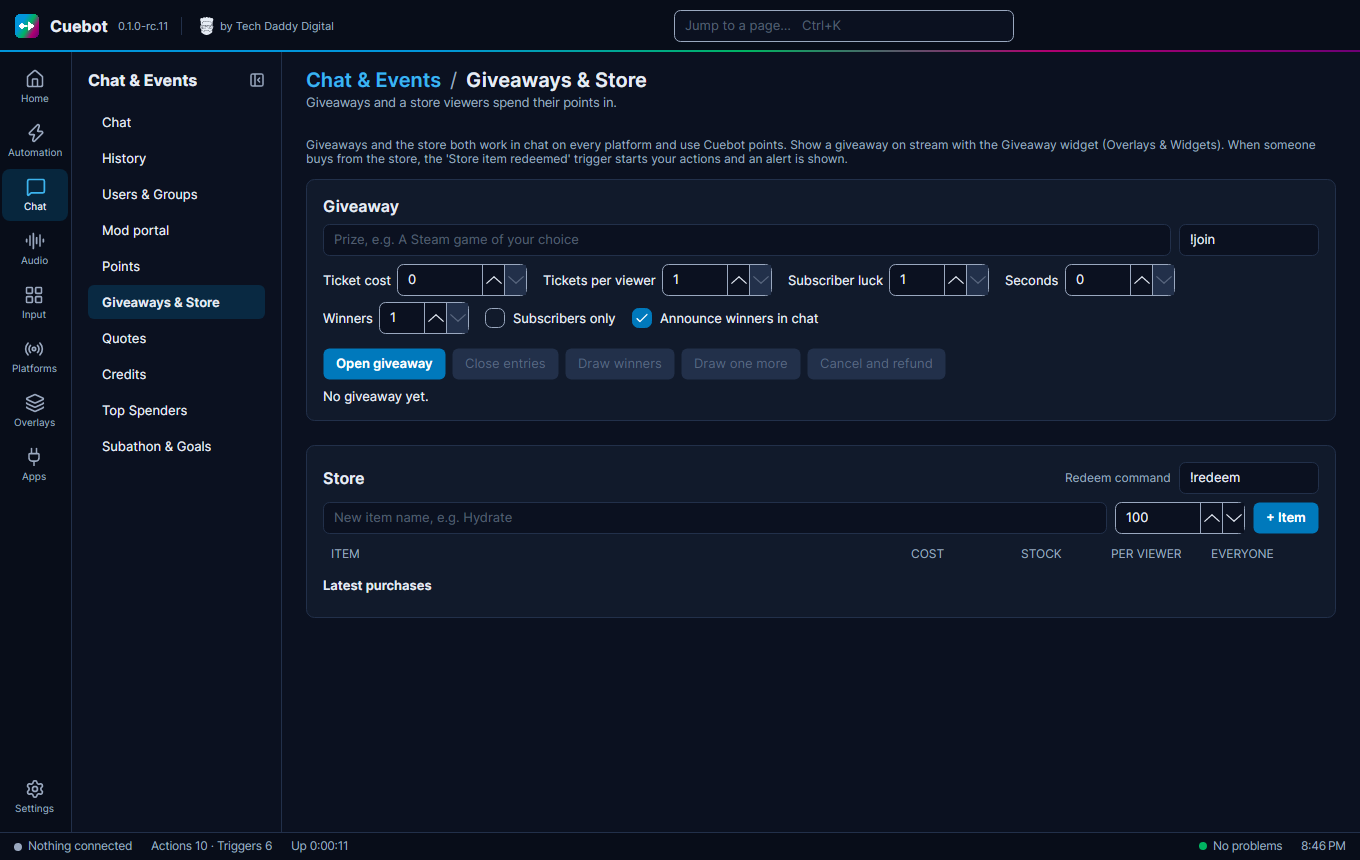
Go to Chat > Giveaways & Store. The store is below the giveaway part of the page.
Add an item
- Type a New item name and its cost, then click + Item.
- Set STOCK (how many there are;
-1means no limit), and cooldowns: PER VIEWER and EVERYONE, in seconds. - Tick Needs approval if you want to say yes or no first.
Each item also has a Description (optional) for viewers, Available (untick it to stop sales for now) and Subscribers only.
How viewers buy
Viewers type !redeem and the item name, like !redeem push-ups. Want a different word? Change the Redeem command
box at the top of the store.
Items that need approval wait under Waiting for approval. Click Approve, or Reject (refund) to give the points back. Latest purchases shows what was bought.
Make something happen
To make something happen when an item is bought, add the Store item redeemed trigger to an action (see How actions work).