Quotes
Something funny said on stream? Save it as a quote, so you and your chat can bring it back later with a !quote
command.
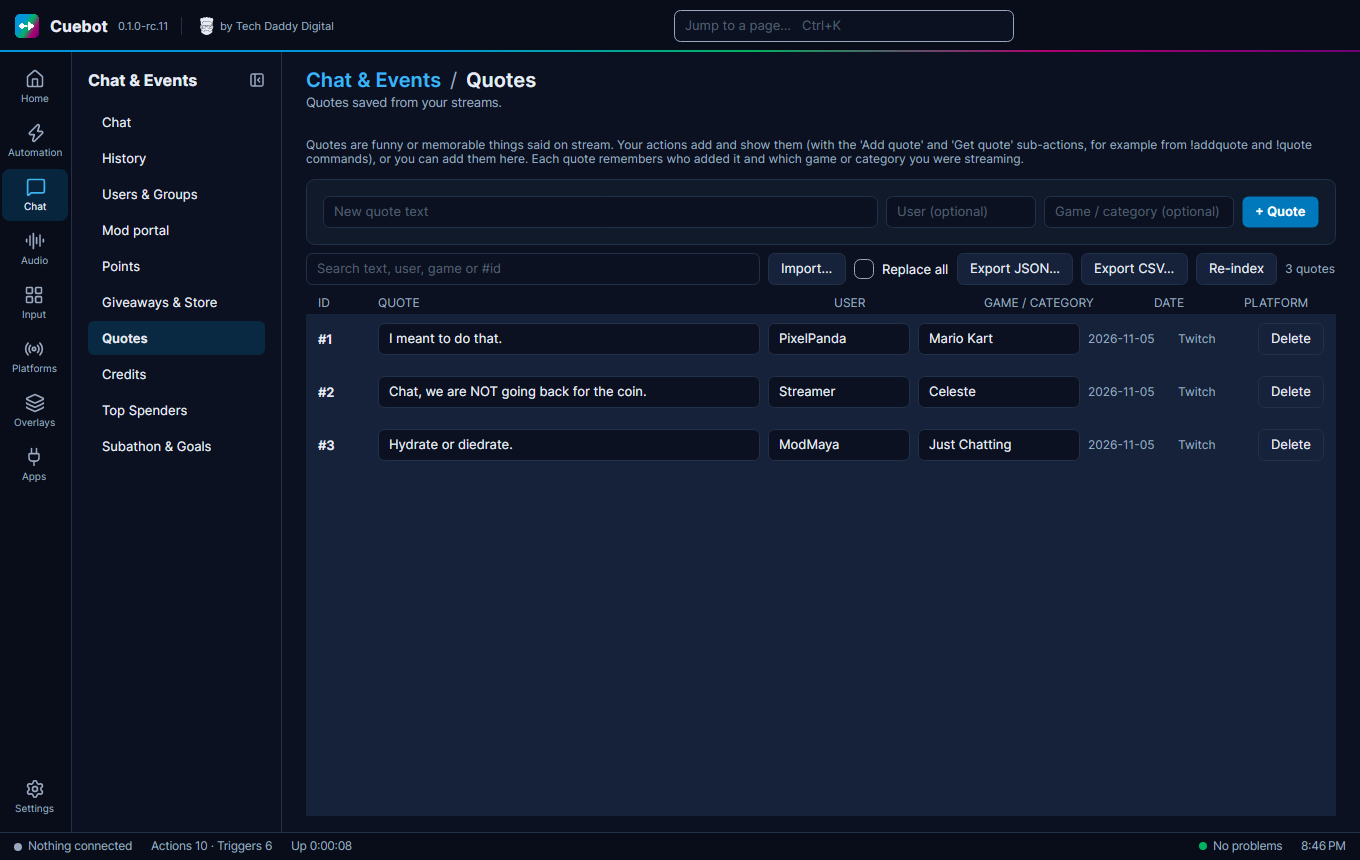
Go to Chat > Quotes.
Add and find quotes
- Type the quote in New quote text, optionally the User who said it and the game, then click + Quote.
- Search with the search box, or by number like
#12. - Re-index numbers the quotes 1, 2, 3… again, closing the gaps left by deleted quotes. Quote numbers people remember will change.
Move quotes in and out
Import… and Export JSON… / Export CSV… move quotes in and out. Tick Replace all before you import to throw away your current quotes and keep only the file's; unticked, the file's quotes are added to yours.
Quotes in chat
For chat, make your own !quote and !addquote commands (see Chat commands) with the Get quote
and Add quote sub-actions.