Timers
A timer starts actions on a clock, like "post my Discord link every 15 minutes". Use it for anything that should happen by itself while you stream.
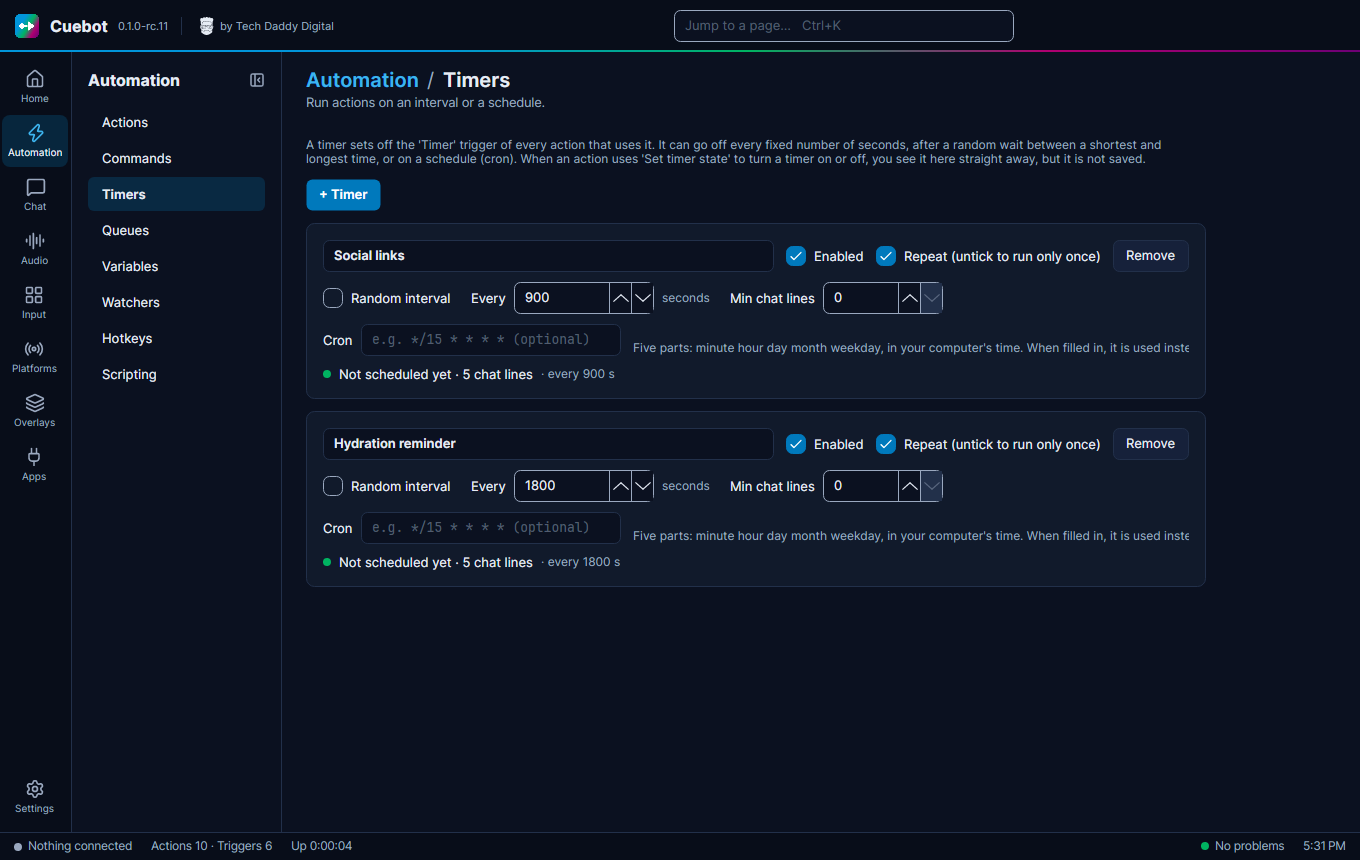
Make a timer
- Go to Automation > Timers, click + Timer and name it.
- Pick how often:
- Every … seconds;
- Random interval: a random wait Between two numbers of seconds;
- Min chat lines: only go off when at least that many chat messages came in since last time, so it does not post into an empty chat;
- Cron: a schedule, like
0 20 * * 5(every Friday at 20:00). Five parts: minute, hour, day, month, weekday, in your computer's time. When you fill it in, it is used instead of the seconds.
- In your action, add the Timer trigger and pick the timer.
A timer that goes off once
Untick Repeat (untick to run only once) for a timer that goes off one time only, like a "stream ends in 10 minutes" reminder.