Backups
A backup is a copy of everything Cuebot knows, so you can go back if something breaks or you change your mind. This page shows how Cuebot makes backups by itself, and how to get one back.
Making backups
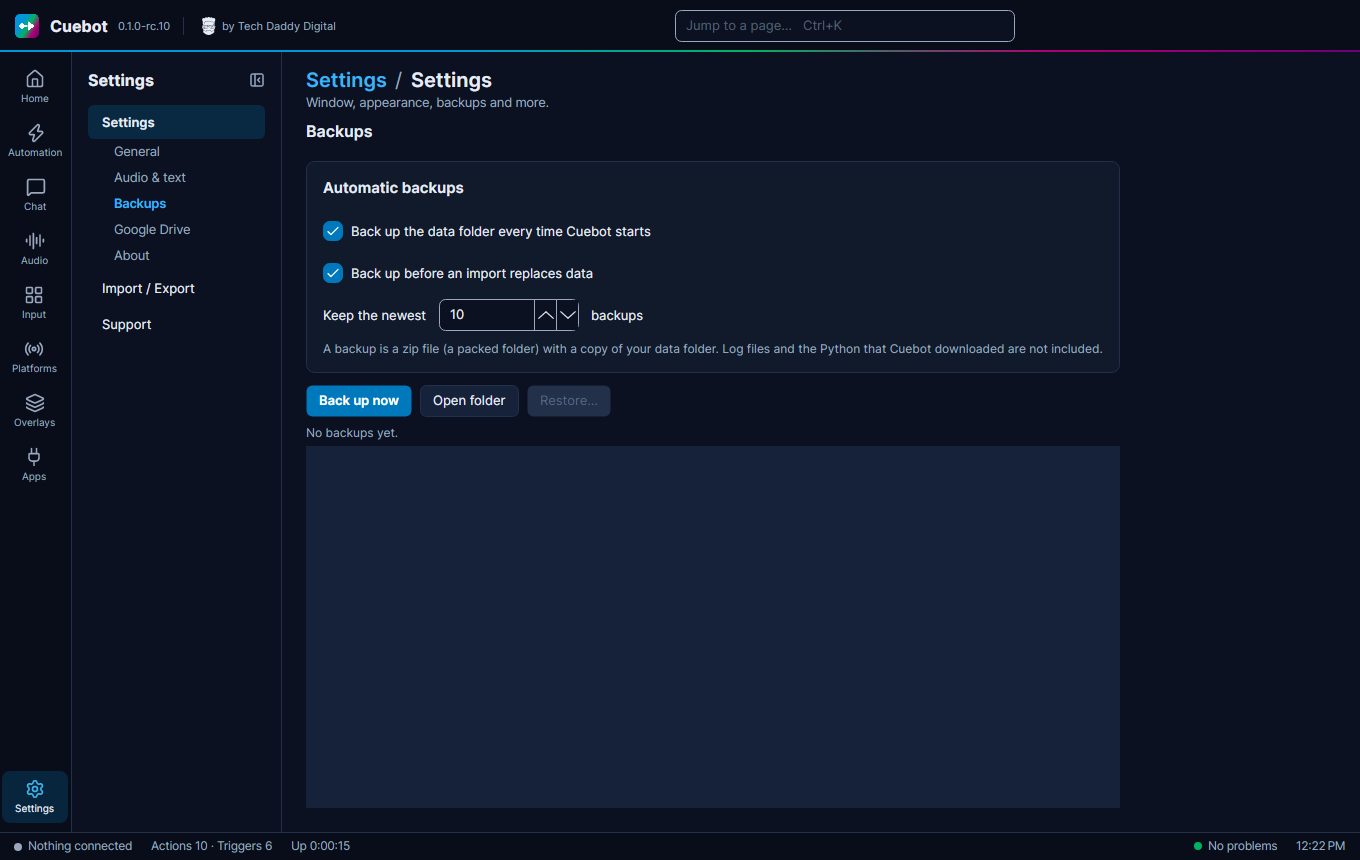
A backup is a zip copy of your data folder, with every profile in it. Log files and the Python that Cuebot downloaded are not included. Go to Settings, tab Backups.
- Back up the data folder every time Cuebot starts: ticked, Cuebot makes a backup each time it starts. It is ticked from the start.
- Back up before an import replaces data: ticked, Cuebot makes a backup before an import changes anything. Also ticked from the start.
- Cuebot keeps the newest 10 backups and deletes older ones. You can change the number.
- Back up now makes one right away. Good before a big change.
- Open folder shows the backups (they are in
backupsinside the data folder).
Getting a backup back
- Click Restore... and pick a backup.
- Choose Restore and restart (right away) or On next start.
- Cuebot first makes a safety backup of what you have now, then puts the old backup back in place before it loads anything.
Changed your mind before the restart? Click Cancel restore.
Sign-ins and keys are never put in backups (see Your data and privacy). Want a copy that survives if your computer breaks? See Backups on Google Drive.