Kick
This page shows how to sign Cuebot in to Kick, so it can read your chat, see follows and subs, and write messages.
Signing in
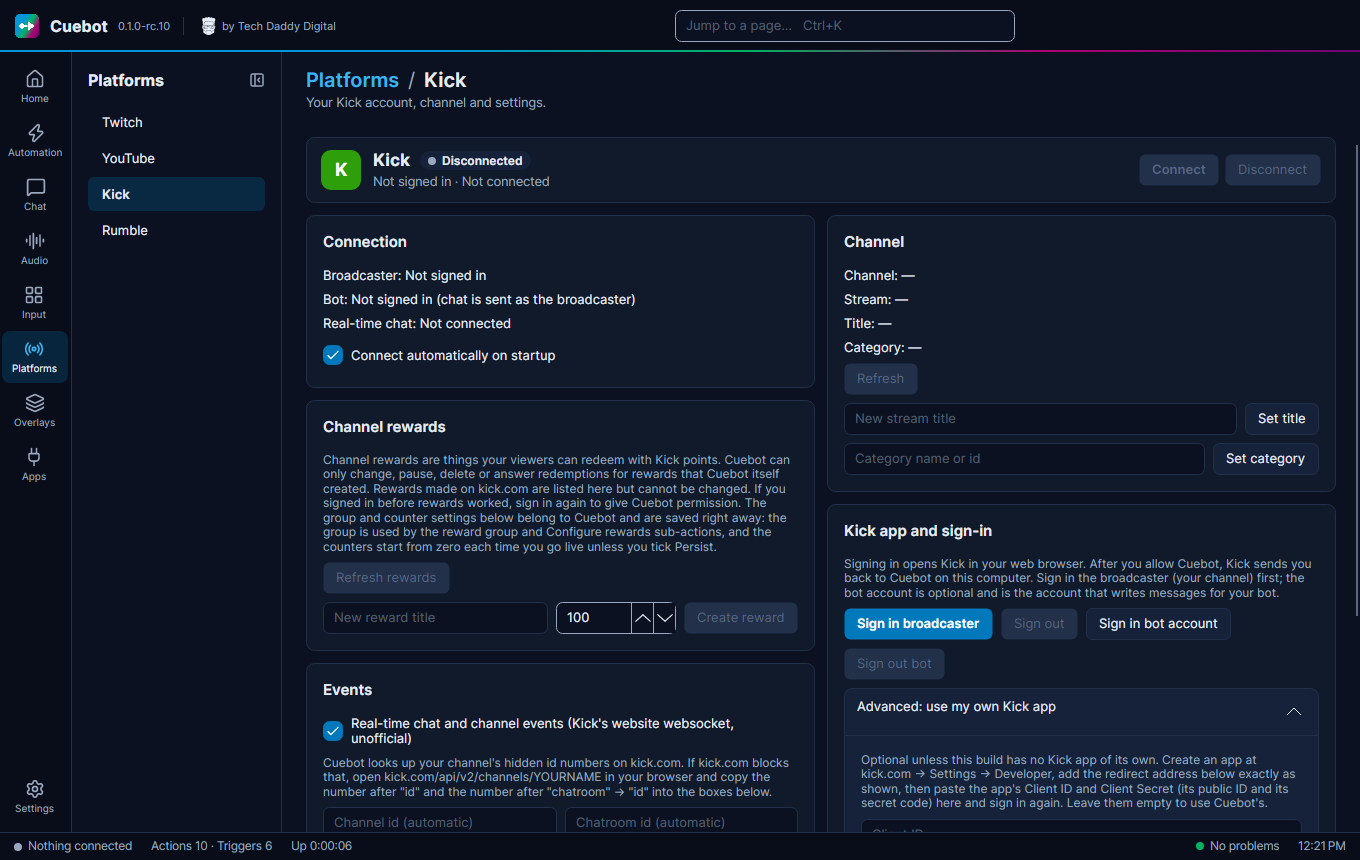
- Go to Platforms > Kick. In your browser, log in to Kick as your streaming account first.
- Click Sign in broadcaster.
- Approve Cuebot in the browser window that opens.
Cuebot looks up your channel by itself. If kick.com blocks that, the page shows how to copy two numbers from kick.com into the Channel id and Chatroom id boxes.
Bot account: click Sign in bot account (see Broadcaster account and bot account).
Tick Connect automatically on startup so Cuebot connects every time it starts.
Your channel and rewards
On the Kick page you can also set your stream title (Set title) and category (Set category), and manage channel rewards: Create reward makes a new one, Refresh rewards loads them from Kick. Like on Twitch, Cuebot can only change rewards it made itself; rewards made on kick.com are listed but cannot be changed.
What the Connect button, Connect automatically on startup and Sign out do is the same on every platform: see Your platforms.